Virtual Phone Numbers for Business Available from 100+ Countries

callvix-icon

AI Voice Agents for Inbound & Outbound Business Calls

AI voice agents that work every call, around the clock. Deploy a team of intelligent agents to answer inbound calls, qualify leads, book appointments, handle routine requests, and make outbound calls, all with the knowledge, workflows, tools, and brand voice your business needs. Scale conversations effortlessly, and hand off to a human the moment it matters.

  • Live in minutes
  • Run multiple agents at once
  • No code, no hardware

Trusted by 10 Plus Orgs – marketers, sales, call centers and entrepreneurs

What Is an AI Voice Agent?

An AI voice agent is a virtual caller that speaks with customers over the phone, understands what they need, and responds using the business knowledge it has been trained on. It can answer or make calls, handle natural conversations, and complete tasks such as booking appointments, qualifying leads, updating information, or transferring calls. Unlike a traditional IVR or voicemail system, an AI voice agent can take action during the conversation, helping businesses automate phone interactions 24/7.

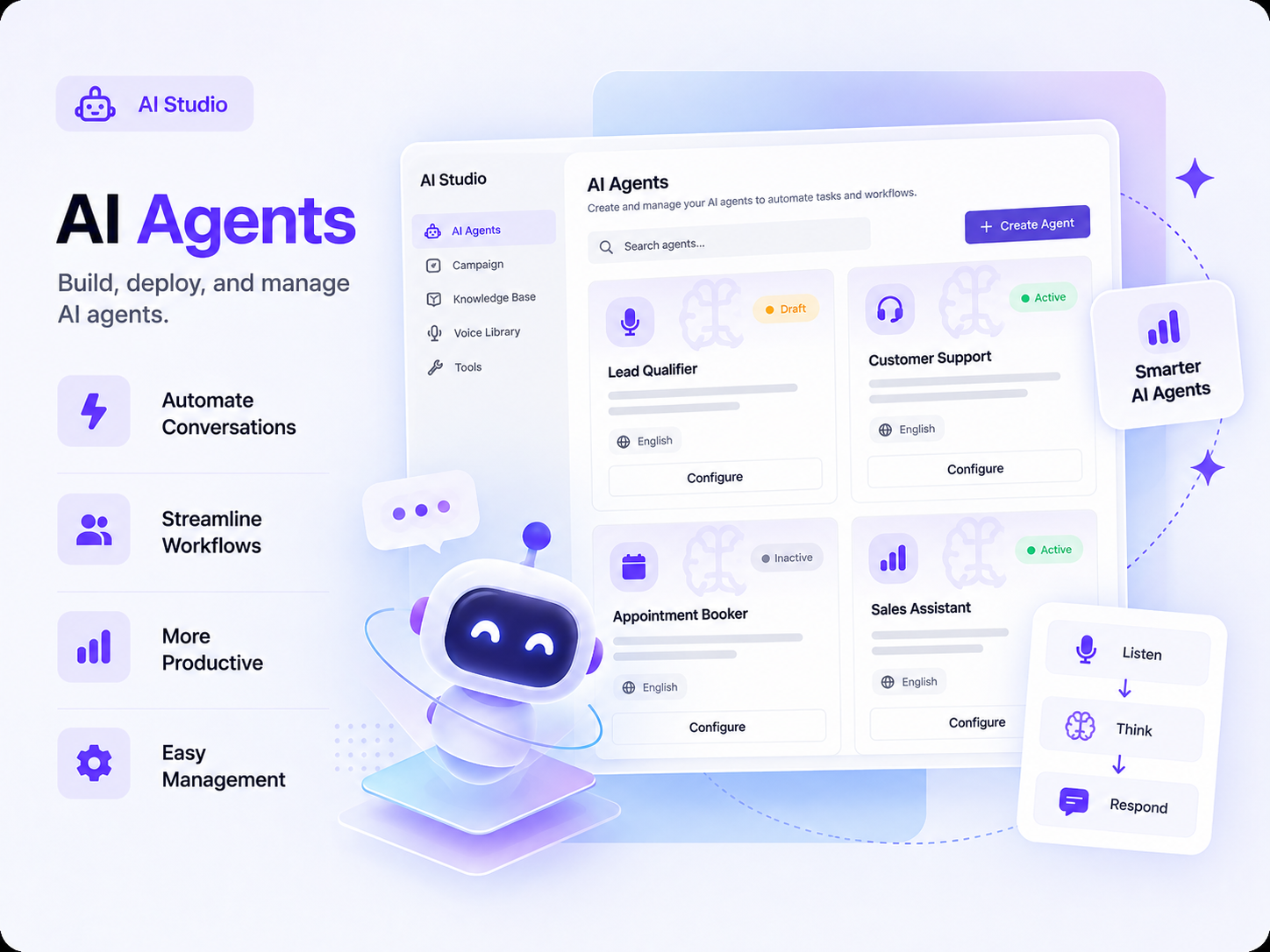
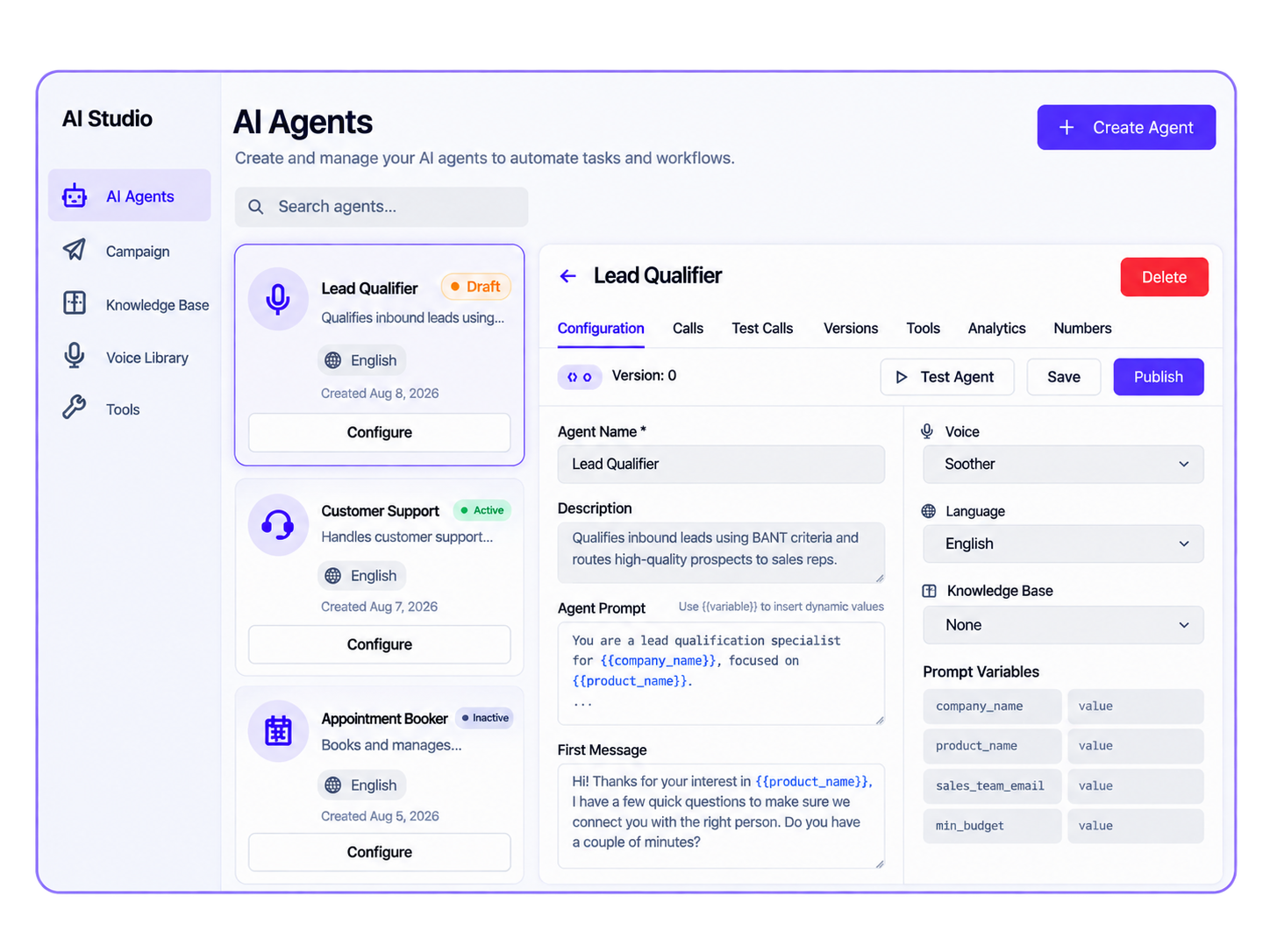
In Callvix, an AI agent is something you configure instead of coding. You can start with a ready-made template or build an agent from scratch, add your knowledge base, choose its voice, connect the tools it can use, and route calls to it through a phone number, IVR option, queue, or outbound campaign. You can create and run multiple agents side by side, allowing each one to handle a specific role, workflow, or customer interaction as your business grows.

Types of AI Voice Agents

One AI Agent for Every Kind of Call You Take and Make

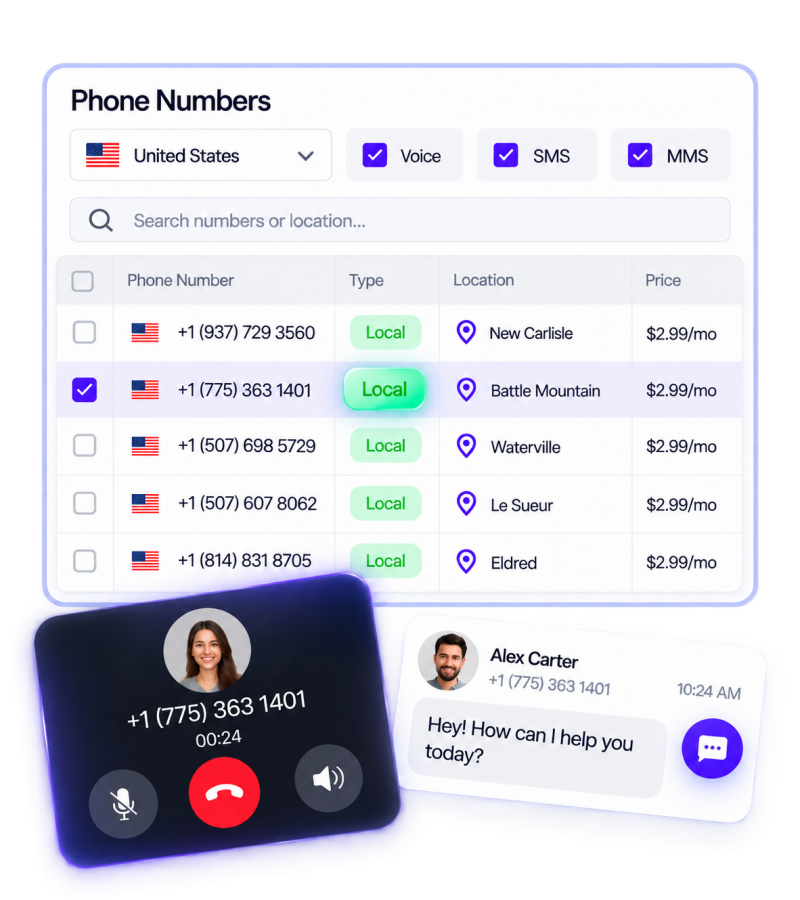
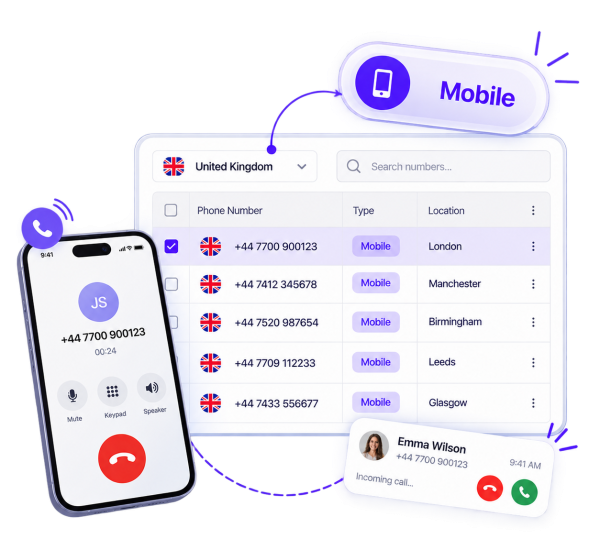
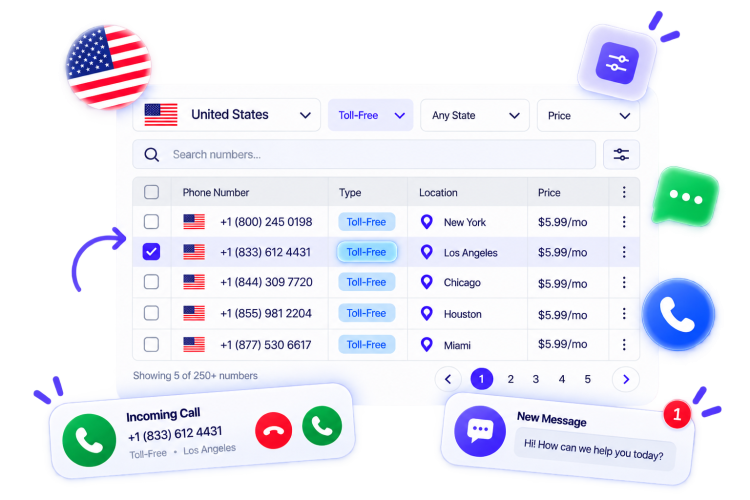
Inbound agents handle calls your team cannot get to, outbound agents work through your lists, and an AI receptionist manages the front door. Deploy one or all three across different numbers and menu options at the same time.

localcard

Inbound Call Agents

Answer calls on the first ring, around the clock, resolve routine questions, capture caller details, book appointments, and warm-transfer anything that needs a human.

mobilecard1

Outbound Call Agents

Work through lead lists, follow-ups, reminders, and renewals using a local caller ID, then text the details or pass qualified prospects directly to a rep.

tollfreecard1

AI Receptionist

Greet every caller on behalf of your business, answer common front-desk questions, and route each call to the right team, department, or agent without a confusing menu maze.

SMS AI Agents

Handle customer texts, answer questions, follow up with leads, send updates, and automate conversations around the clock.

aiagent2

Run as Many AI Agents as Your Business Needs, All at Once

Most platforms give you one assistant and expect it to handle everything. Callvix lets you create a specialist for every job and run them in parallel, a sales agent for campaigns, a support agent for option two, a billing agent for account calls, a scheduler for appointments, and an after-hours agent to handle overflow.

What’s Different with Callvix?

What Changes When Your Calls Are Handled by Callvix AI Agents?

Stop choosing between missed calls, limited AI agents, and complex setups. Callvix AI voice agents help you answer more calls, automate more tasks, and scale conversations without adding headcount.

With Other Providers With Callvix AI Voice Agents
Number of agents One or limited agents forced to handle multiple call types Run multiple specialist AI agents at the same time
Getting started Setup involves developers, integrations, prompts & technical configuration Choose a template, set a voice, and publish to a number
Business knowledge Knowledge requires separate setup, updates, or tools to stay current Train each agent on your own business knowledge base
During the call Answers questions, captures details, or triggers actions where supported Transfers, texts, posts to Slack, and books the calendar on top of answering questions & captureing detail
Outbound calling Campaigns may depend on separate dialers, limits, or complex workflows Agents work your lists and pass qualified conversations to reps
Peak and after hours Concurrency limits or routing rules can leave calls waiting or unanswered Handle concurrent calls on the first ring, at any hour
Handoff to people Caller may need to repeat details after a transfer Warm transfer with a summary of the conversation
Visibility Reporting may be spread across call, messaging, and AI tools Call, SMS, and voicemail logs with performance by agent
Using AI Voice Agents in Callvix

Everything You Need to Build, Train and Run Your Agents

Build an AI voice agent that sounds like your business, knows your business, and gets work done. Start with a proven template or build from scratch, train it on your knowledge, choose its voice, connect the tools it needs, and track every interaction, all from the same Callvix account as your phone system and call center.

  • Ready-to-Launch Agent Templates Start faster with proven templates for support, sales, scheduling, technical support, lead qualification, card activation, billing, and more.
  • Build an AI Agent From Scratch Create an agent around your business by defining its role, greeting, questions, guardrails, escalation rules, and boundaries without coding.
  • Train It on Your Business Knowledge Add your pricing, policies, service areas, hours, products, and FAQs so agents provide accurate, business-specific answers instead of generic responses.
  • Choose a Voice That Fits Your Brand Explore natural voices and accents, then assign the right voice to each agent so every customer interaction sounds consistent with your brand.
  • Give Agents Tools to Take Action Connect tools that let agents transfer calls, send texts, post to Slack, check Google Calendar, or create appointments during conversations.
  • Track Calls, Conversations, and Performance Review call, SMS, and voicemail logs, transcripts, and summaries to compare agents, identify improvements, and optimize performance over time.
Solutions for All Types & Sizes of Businesses

Put an Agent on the Calls That Are Costing You Money

Turn missed calls, slow follow-ups, long queues, and after-hours gaps into opportunities. Deploy AI agents to handle conversations at scale while your team focuses on the calls that need a human touch.

Sales Teams

Let an outbound AI agent qualify new leads within minutes, follow up with prospects who go quiet, and book qualified meetings directly into the rep’s calendar.

Customer Support

Let an AI support agent handle routine questions, order updates, and password resets, keeping queues shorter so your team can focus on complex issues.

Multi-location Businesses

Deploy an AI agent for each location with its own hours, services, and knowledge, so every caller gets an answer even when a branch is busy or closed.

Healthcare

Help patients book appointments, confirm visits, answer routine questions, and route urgent calls while your staff focuses on patient care.

Real Estate

Let AI agents qualify property inquiries, follow up with leads, schedule viewings, and connect serious buyers or sellers with your agents.

Restaurants

Handle reservations, opening-hours questions, order inquiries, and peak-time calls automatically so your staff can focus on serving customers.

Seamless Business Integrations

Connect Your AI Agents With Business Tools
& Automate Your Entire Workflow

An AI agent should do more than talk. Connect each agent to the tools it needs and let it take action during the call, from transferring callers and sending confirmations to posting leads in Slack, checking availability, and booking calendar events. Every outcome can flow into your CRM automatically, so your team spends less time on manual follow-up and more time getting work done.

Flexible Plans for Every Business

Pricing That Follows Your Call Volume, Not Your Headcount

Start with one AI agent and one number, then scale as your call volume grows. Callvix pricing is designed around what you actually use, including agents, numbers, calling activity, and AI usage, alongside your phone system and call center seats. No unnecessary capacity, no long-term contracts, and no need to add headcount just to handle more calls.

Billed Annually (Save 20%)
Basic Plan
$10
per user / month Billed anually

Subscription continues to be charged at $10 /month, unless cancelled in Callvix account.

Get Started
  • Up to 30 agents
  • 1 Free Local Number (US or Canada)
  • IVR & Smart Call Routing
  • Standard Support
  • Email Integration
  • Limited AI Agents
Pro Plan Smart Pick
$21
per user / month Billed anually

Subscription continues to be charged at $21 /month, unless cancelled in Callvix account.

Upgrade Now
  • Everything in Basic +
  • Unlimited Agents
  • Priority Support
  • Advanced Analytics
  • CRM Integrations
  • AI Call Summaries
  • AI Transcript
  • Unlimited AI Agents
  • AI campaign
Custom Plan
$Custom
per user / month Billed anually

Subscription continues on a custom plan. Contact us to modify or cancel your subscription.

Talk to Sales
  • Everything in Professional +
  • Unlimited agents
  • Dedicated Account Manager
  • Custom SLA & Onboarding
  • White-label Solutions
  • API Access
Basic Plan
$12
per user / month Billed monthly

Subscription continues to be charged at $12 /month, unless cancelled in Callvix account.

Get Started
  • Up to 30 agents
  • 1 Free Local Number (US or Canada)
  • IVR & Smart Call Routing
  • Standard Support
  • Email Integration
  • Limited AI Agents
Pro Plan Smart Pick
$25
per user / month Billed monthly

Subscription continues to be charged at $25 /month, unless cancelled in Callvix account.

Upgrade Now
  • Everything in Basic +
  • Unlimited Agents
  • Priority Support
  • Advanced Analytics
  • CRM Integrations
  • AI Call Summaries
  • AI Transcript
  • Unlimited AI Agents
  • AI campaign
Custom Plan
$Custom
per user / month Billed monthly

Subscription continues on a custom plan. Contact us to modify or cancel your subscription.

Talk to Sales
  • Everything in Professional +
  • Unlimited agents
  • Dedicated Account Manager
  • Custom SLA & Onboarding
  • White-label Solutions
  • API Access
FAQs

Got Questions? We’ve Got Answers.

1. What is an AI Voice Call Assistant?

An AI Voice Call Assistant is an intelligent software tool that uses artificial intelligence to handle phone calls on your behalf. It can automatically answer incoming calls, screen for spam, take detailed messages, and even make outgoing calls to book appointments or check business hours. By understanding natural speech, it interacts smoothly with callers in real time to save you time and ensure you never miss an important conversation.

2. Can I run more than one AI voice agent at the same time?

Yes. Callvix is built around multiple agents running at once. Sales, support, billing, scheduling and after-hours can each have their own agent, with its own voice, knowledge base, tools and number or IVR option, all live in the same account at the same time.

3. Do I need to build my AI agent from scratch?

No. Callvix ships templates for customer support, sales, appointment scheduling, technical support, lead qualification, card activation and billing support. Use one as it comes, edit it to match your process, or start from a blank agent and design the whole conversation yourself.

4. How do AI voice agents learn about my business?

You train each agent on your own custom knowledge base, such as pricing, policies, hours, service areas, product details, scripts and FAQs. The agent answers from that material, so what callers hear matches what your business actually offers, and updating the knowledge updates the answers.

5. Can I choose the voice my AI agent uses?

Yes. Callvix lets you pick from a large voice library and assign a different voice to each agent, so your receptionist, your sales agent and your billing agent each sound appropriate for the conversation they handle.

6. What can an AI voice agent do during a call?

Callvix’s AI voice agents connect tools and the agent acts mid-call: transfer to a person or team, send a text message, post a message to a Slack channel, check availability on Google Calendar and create an event. It decides which action fits based on how the conversation goes.

7. Can AI voice agents make outbound calls?

Yes. Outbound agents can call lists for lead qualification, follow-ups, appointment reminders, renewals, surveys and re-engagement, then send the text, book the slot or hand a warm conversation to a rep.

8. How is an AI voice agent different from an IVR menu?

An IVR asks the caller to choose from fixed options and then routes them. An AI voice agent holds a conversation: the caller explains the reason for calling in their own words and the agent answers, completes the task or routes them. Many businesses use both, the IVR presents the choice, and an agent handles the option behind it.

9. Will an AI voice agent replace my team?

No. Agents take the repetitive calls, routine questions, qualification, booking, overflow, after-hours and first-touch outbound, and hand it off to a person with a summary whenever the call needs judgement. Teams typically use them to keep queues short and spend agent time on the calls that convert or retain.

10. How does an agent hand a call to a human?

The agent transfers the live call to the user, team, ring group or queue you nominate, and passes a summary of what has already been said so the caller does not repeat themselves. You decide which situations trigger an escalation.

11. Can I use AI voice agents with my existing business number?

Yes. For that, you need to port your existing number to Callvix or attach an agent to a number you already hold in the account, then point a whole number, a single IVR option, an overflow rule or an out-of-hours schedule at it.

12. How do I know whether my AI agents are performing?

Every agent has its own call logs, SMS logs and voicemail logs, plus transcripts, summaries, sentiment and outcomes. Agent performance reporting shows volume, handled versus transferred calls and results per agent, so you can see which agent to improve and what to change in its knowledge base.

13. Do I need a developer to set this up?

No. Agents are configured in the browser. All you need to do is, choose a template, upload knowledge, pick a voice, enable tools and publish to a number. A REST API and webhooks are available when you want to push data into your own systems.

14. What languages and accents are supported?

The voice library covers a wide range of voices and accents, and you can run separate agents per language so callers hear the right one for their market. Availability depends on the voice and country you select.
Callvix, Wherever You Work

One Platform. Available on Every Device.

Access Callvix across iOS, Android, Windows, and Linux. Stay connected with your customers, manage calls and SMS, and keep your team productive wherever business takes you.

Number Available
+ 1 Countries
Portfolio Growth
85%
$ 1
Goal: $15,000

Create your account