Port Your Business Numbers to Callvix
Switch to Cloud-based Platform
Port Your Business Phone Number to Callvix,
Without Losing a Call
Keep the business phone number your customers already know. Port your existing local, mobile, toll-free, vanity, or supported international number to Callvix and move your business communications to the cloud, without changing the number on your website, invoices, vehicles, listings, ads, or signage.
Trusted by 10 Plus Orgs – marketers, sales, call centers and entrepreneurs
What Is Number Porting?
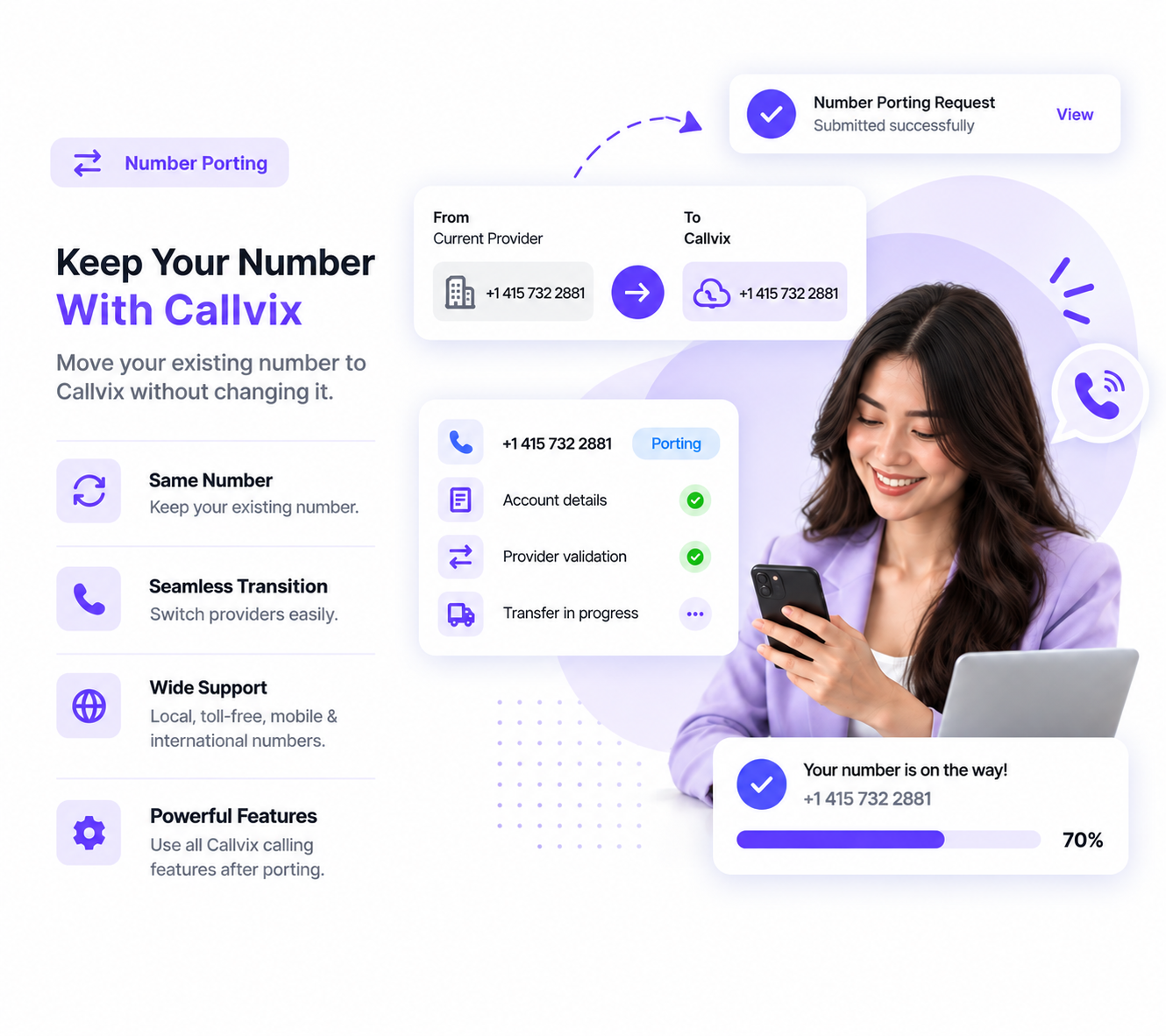
Phone number porting is the process of moving an existing phone number from one phone service provider to another while keeping the same number. Your digits, area code, and country code remain unchanged; only the provider that manages the number changes.
For businesses, phone number porting lets you switch providers or move to a cloud-based business phone system without changing the number customers, partners, or employees already use. This means you can keep the same number across your website, advertisements, business listings, invoices, vehicles, and other customer-facing materials.
With Callvix, businesses can port supported local, mobile, toll-free, and vanity numbers, including many international numbers, subject to country and carrier requirements. Once ported, a number can be routed to users, departments, ring groups, call queues, IVR menus, forwarding numbers, or AI voice agents like any other Callvix number.
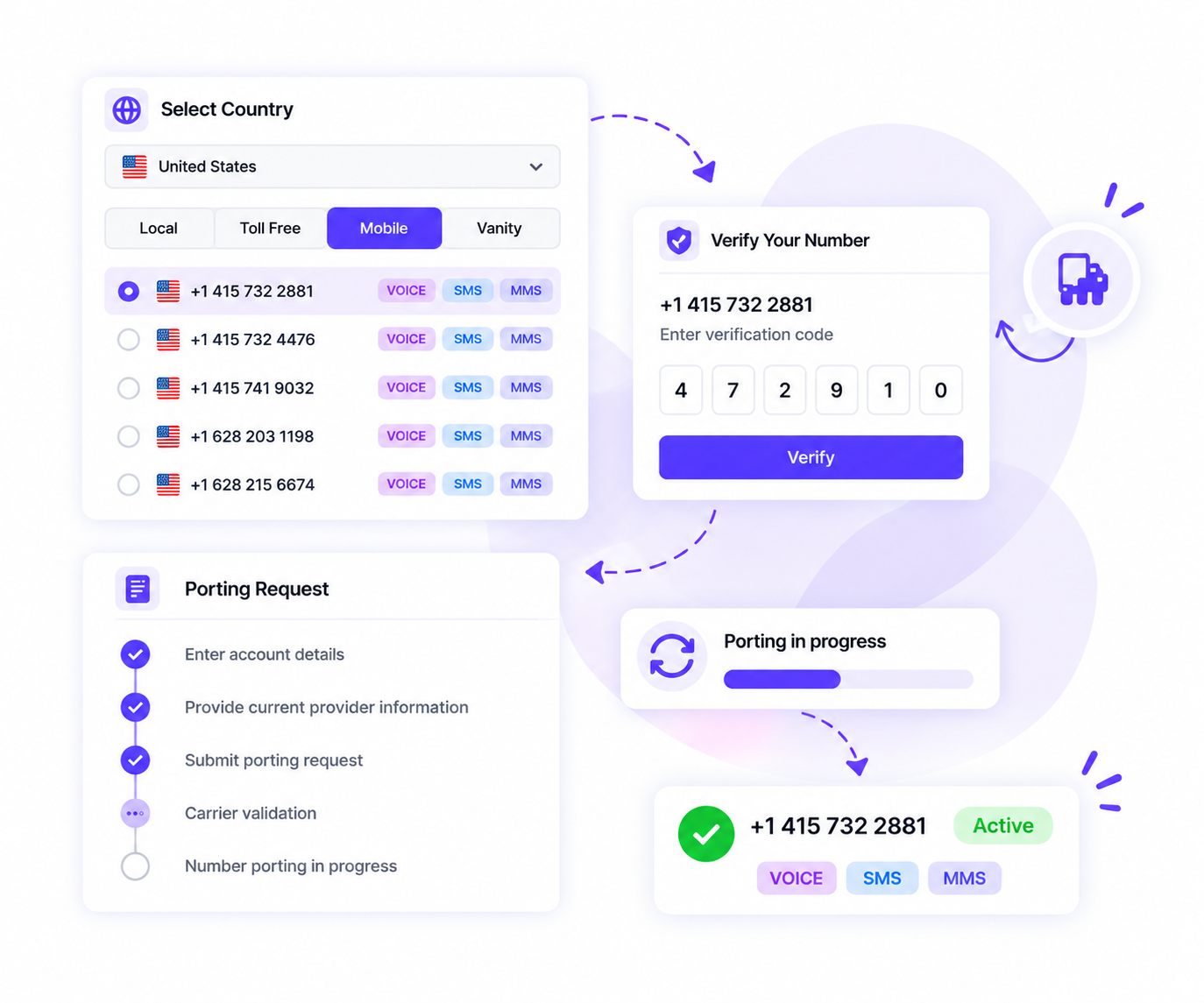
Callvix checks your number type, carrier, location, and account details to confirm eligibility and identify any requirements before starting the porting process.
Your Existing Number Is Checked for EligibilityCallvix checks your number type, carrier, location, and account details to confirm eligibility and identify any requirements before starting the porting process.
Your Porting Information Is SubmittedProvide your current carrier details, account information, business address, recent bill, and signed Letter of Authorization (LOA) to request the number transfer.
Your Current Carrier Validates the Port RequestYour losing carrier verifies ownership and account details, resolves any mismatches, and provides a firm order commitment (FOC) date for number porting.
Your Number Transfers to CallvixOn the scheduled FOC date, your business phone number transfers to Callvix, typically without interrupting your existing service during the process.
Why Choose Callvix?
Why Port Your Business Phone Number
to Callvix?
Keep the business phone number your customers already know while moving calling, messaging, routing, and AI workflows to Callvix.
Without Number Porting
With Callvix Number Porting
Existing business number
Switching providers may require a new number
Keep your eligible existing business number
Customer recognition
New numbers can confuse existing customers
Keep the number customers already recognize
Business continuity
Number changes can disrupt customer communications
Preserve your customer-facing business number
Cloud phone features
Numbers remain tied to legacy systems
Connect numbers to modern cloud calling
Call routing
Limited routing through existing phone systems
Route calls through users, queues, and IVR
Multiple business numbers
Numbers remain scattered across multiple providers
Manage supported numbers from one account
AI-powered calling
Legacy numbers may lack AI capabilities
Connect supported numbers to AI voice agents
Call reporting
Legacy systems may offer limited call visibility
Track business calls through modern reporting
Provider flexibility
Old providers control number and phone features
Manage your number through Callvix
Migrating Your Traditional Phone Line to Callvix
How to Port Your Phone Number to Callvix?
You can get a Callvix virtual mobile number by selecting a supported country, choosing an available mobile number, completing any required verification, and connecting the number to your business call workflow.
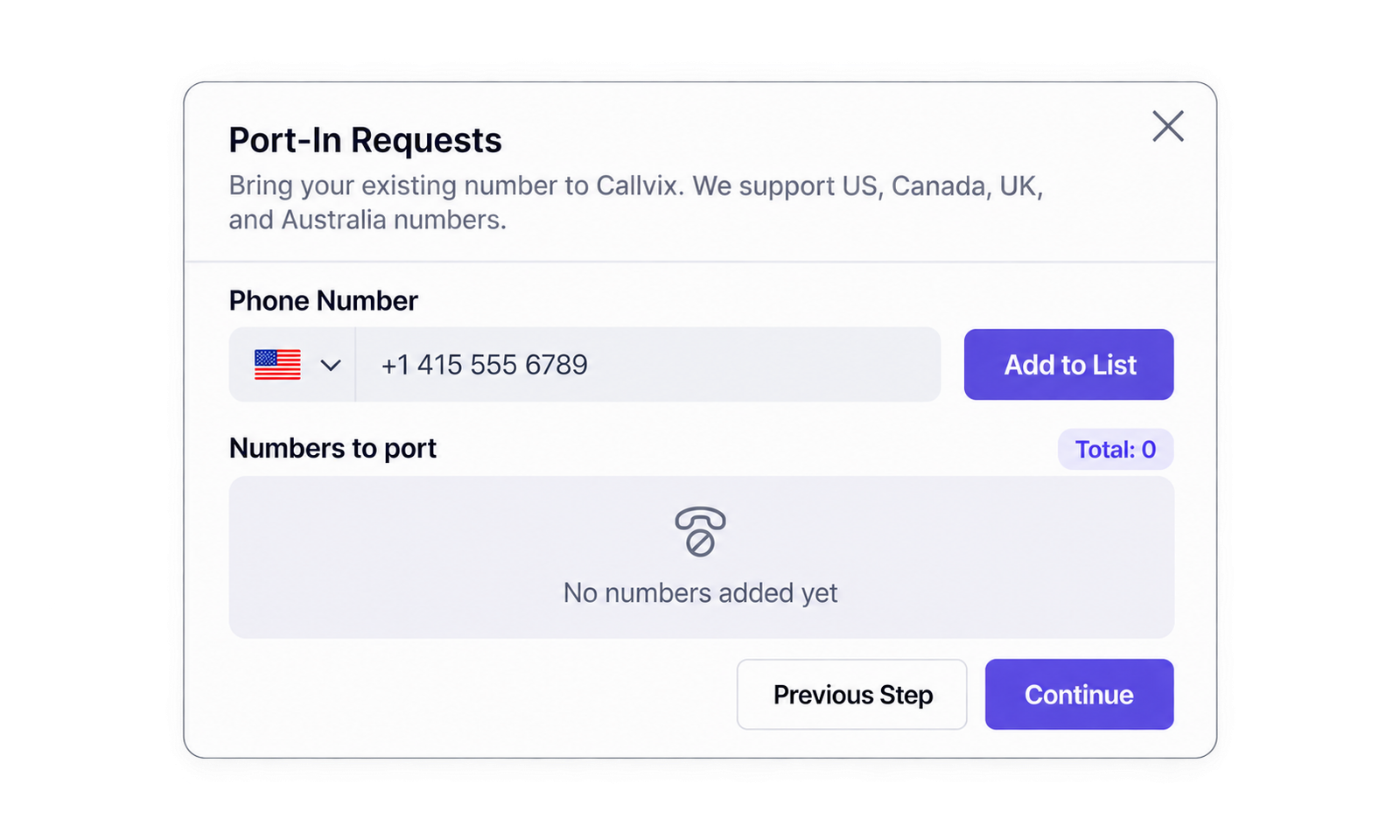
Sign Up for Callvix, Open Numbers & Click on Port NumberSign up for Callvix, open Numbers, and select Port a Number to begin your phone number porting request.
Check Your Phone Number’s Porting EligibilityEnter your existing business phone number to confirm whether it can be transferred from your current carrier to Callvix.
Upload Your LOA and Carrier Account DocumentsSubmit a signed Letter of Authorization (LOA) along with a recent carrier bill or account summary to verify ownership and account details.
Confirm Your Port Request and FOC DateReview your number, carrier information, and documents, then confirm the request to receive your Firm Order Commitment (FOC) date. Keep your current service active until the transfer is complete.
Configure Your Ported Number and Start CallingOn the FOC date, your number automatically transfers to Callvix. Then assign it to users, IVR menus, call queues, forwarding rules, or AI voice agents and start taking calls.
Connect Your Ported Business Number to the Tools You Already Use
Bring your existing business phone number to Callvix and connect it with the business tools your team already uses. Integrate calling, SMS, CRM, contacts, support platforms, and AI voice agents to manage customer communications from one connected business phone system.
Benefits of Porting Your Business Phone Number
to Callvix
Keep your existing business number while gaining cloud calling, advanced routing, analytics, and AI-powered communication capabilities with Callvix.
Keep the Number Customers Already Recognize
Your established business number stays familiar to customers, helping preserve recognition and continuity across calls and communications.
Preserve Existing Marketing Investments
Your number can remain across websites, ads, signage, directories, and other customer-facing materials where porting is supported.
Gain Modern Cloud Calling Capabilities
Your existing number gains access to Callvix’s cloud phone system and modern business calling features.
Simplify Business Call Routing and Management
Ported numbers can connect with users, departments, ring groups, queues, IVR menus, forwarding numbers, and supported AI voice agents.
Unlock AI-Powered Calling With Your Number
Supported ported numbers can power AI voice agents for answering calls, qualifying leads, booking appointments, and handling after-hours calls.
Gain Visibility Into Business Call Performance
Call analytics, recording, transcription, routing, and performance insights provide greater visibility into how your business handles calls.
Five Reasons Ports Get Rejected
and How to Avoid Them
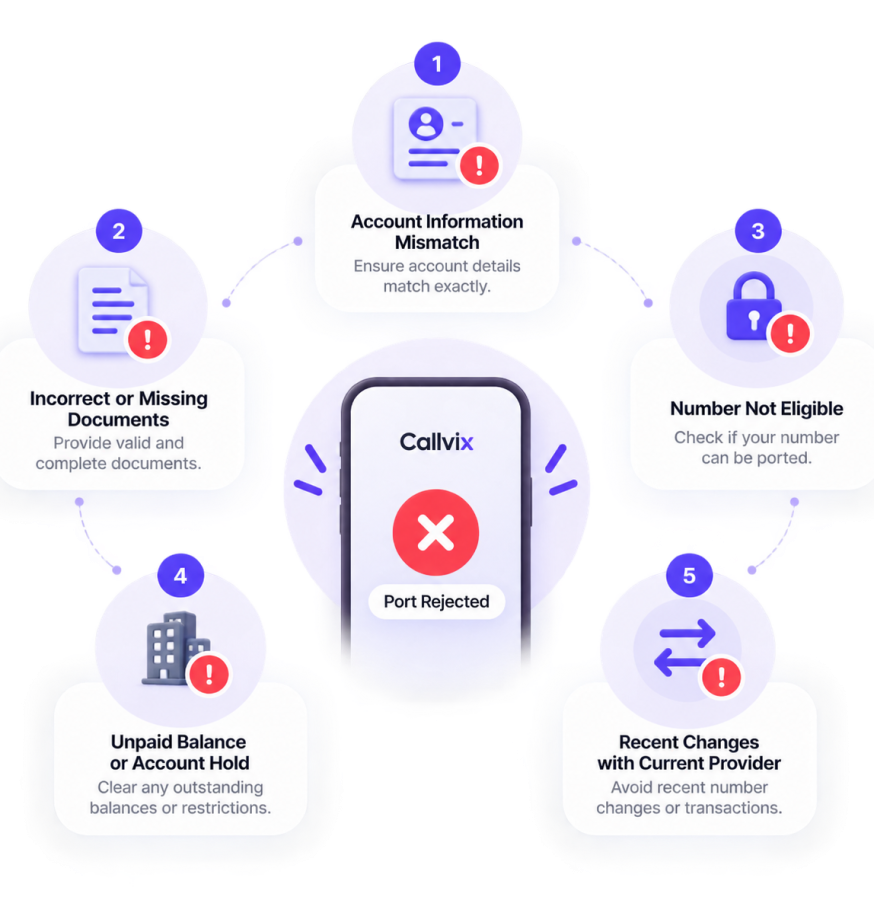
Most business phone number port rejections come from account or documentation mismatches, not technical problems. Here are five common porting issues and how to avoid them.
Name or Service Address Mismatch
Your Letter of Authorization (LOA) must match the losing carrier’s records, including the business name, service address, and suite number.
Number Canceled Before Porting
Canceling service before the port completes can release your phone number. Keep the account active until the number successfully transfers.
Port-Out Lock or Missing PIN
Some carriers require a port-out PIN or account unlock before approving the transfer. Check your carrier’s requirements before submitting your request.
Unpaid or Suspended Account
Outstanding balances or suspended accounts can prevent carrier validation. Resolve account issues before submitting your business number port request.
Partial Port on a Bundled Line
Porting one number from a bundled service may require carrier changes first. Confirm how the number is provisioned before requesting a partial port.
Flexible Plans for Every Business
Business Phone System Pricing for Every Growing Team
Choose a Callvix business phone system plan that fits your team and calling needs before you port your existing number. Get cloud calling, SMS, call routing, analytics, and AI-powered features while keeping the business number your customers already know.
Billed Annually (Save 20%)
Basic Plan
$10
per user / monthBilled anually
Subscription continues to be charged at $10 /month, unless cancelled in Callvix account.
1. Can I Port My Business Phone Number to Callvix?
Yes, eligible business phone numbers can be ported to Callvix where number porting is supported. Eligibility depends on your country, number type, current carrier, and applicable requirements.
2. How Do I Check My Number’s Porting Eligibility?
Callvix can help determine whether your phone number is eligible for porting. Eligibility may vary by country, geographic area, number type, carrier, and regulatory requirements.
3. How Long Does Business Number Porting Take?
Porting timelines vary by country, carrier, number type, documentation, and verification requirements. Domestic ports may take several business days, while international ports can take longer.
4. Will My Phone Service Go Down During Porting?
Your existing carrier generally continues handling calls until the scheduled transfer date. Keeping your current service active helps minimize disruption during the phone number porting process.
5. What Information Do I Need to Port My Number?
You will need your phone number, carrier account details, business information, service address, signed Letter of Authorization (LOA), and recent billing documentation.
6. Do I Need to Cancel My Current Phone Service?
No. Keep your existing phone service active until the port is completed unless your carrier or Callvix provides different instructions. Canceling too early can interfere with the transfer.
7. Can I Keep My Existing Business Phone Number?
Yes. Number porting lets eligible businesses transfer their existing customer-facing phone number to Callvix instead of replacing it with a new number.
8. Can I Port Local, Mobile, Toll-Free, and International Numbers?
Yes, eligible local, mobile, toll-free, and international numbers may be ported where supported. Availability, documentation, and requirements vary by country, number type, and carrier.
9. Can I Port Multiple Business Numbers to Callvix?
Yes. Multiple eligible business numbers can be ported where supported, including numbers used for different locations, departments, brands, or marketing campaigns.
10. Can I Port Only Some Numbers From My Account?
Yes. You can generally port eligible numbers while keeping other numbers with your current provider. Carrier account structure and service requirements may affect partial ports.
11. Can I Port a Number Under Contract or in a Bundle?
Potentially. Eligibility depends on how your carrier provisions the number and bundled services. Confirm requirements before porting numbers connected to the internet, PBX, or other services.
12. What Happens If My Number Port Request Is Rejected?
Most porting rejections result from mismatched account details, service addresses, authorization information, or missing documentation. Callvix can identify corrections needed for resubmission.
13. Can I Prepare Call Routing Before My Number Ports?
Yes. You can configure your Callvix phone system and prepare users, IVR menus, ring groups, queues, forwarding rules, and AI voice workflows before the number becomes active.
14. Can I Use My Ported Number With AI Voice Agents?
Yes. Supported ported numbers can connect to AI voice agents for call answering, lead qualification, appointment booking, after-hours support, overflow handling, and call transfers.
Callvix, Wherever You Work
One Platform. Available on Every Device.
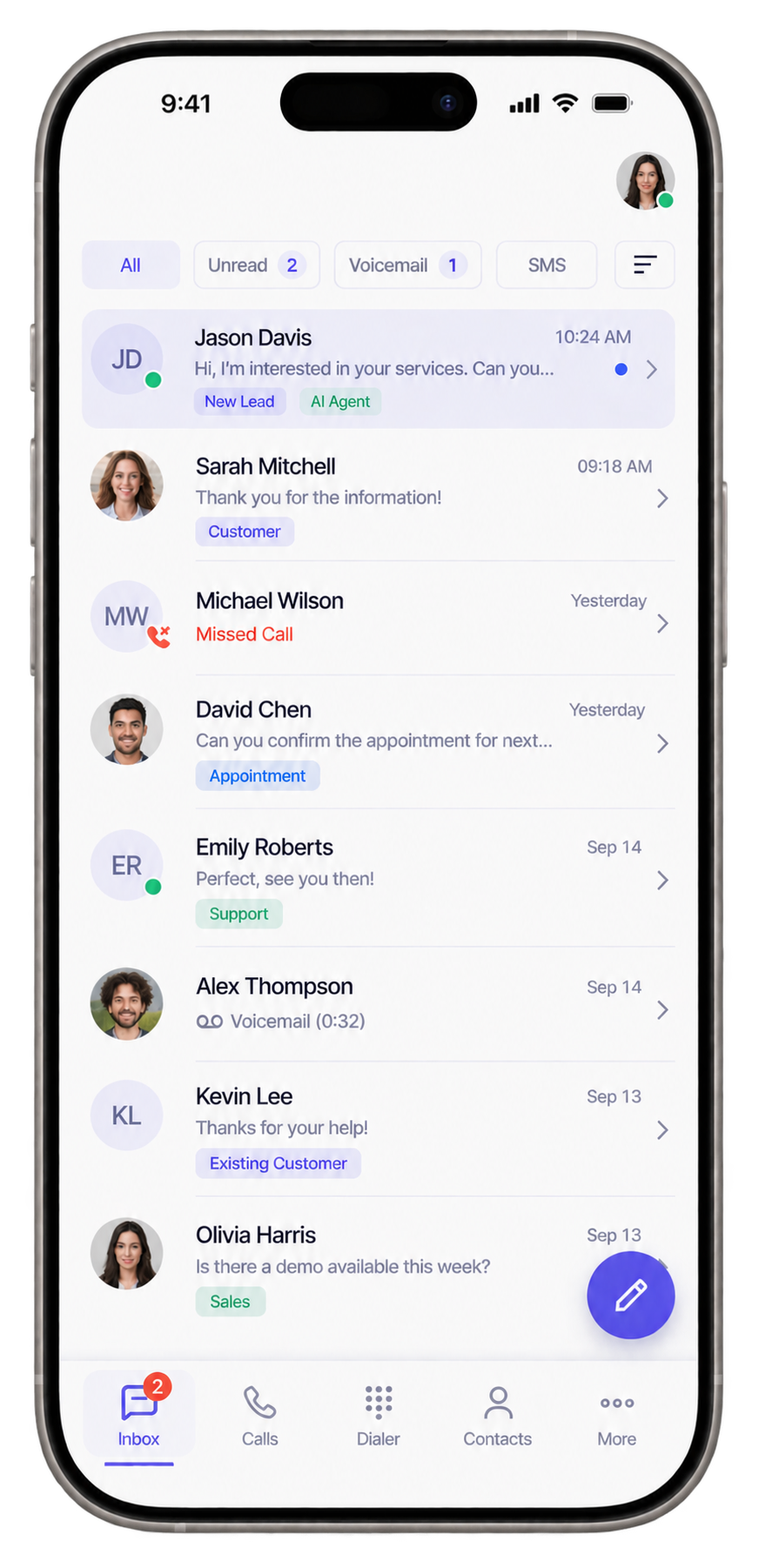
Access Callvix across iOS, Android, Windows, and Linux. Stay connected with your customers, manage calls and SMS, and keep your team productive wherever business takes you.



 Numbers live in minutes
 No SIM or hardware
 Calls + SMS in one place