Remote Office Phone System With VoIP Calling, Call Center Software & AI Voice Agents in One Platform

callvix-icon

Phone System for Remote Teams That Works Wherever Your Team Does

Give every remote worker one business number, one call queue and one shared view of customers. Callvix combines a cloud VoIP phone system, remote call center software and AI voice agents so your distributed team answers every call from any laptop, mobile or desk phone, in any time zone.

  • No desk phones required
  • Keep your existing numbers
  • Live in days, not weeks

Trusted by 10 Plus Orgs – marketers, sales, call centers and entrepreneurs

Why Calls Fall Through the Cracks When Your Team Works Remotely?

A school’s phone line is often the first point of contact for families and future students. When calls go unanswered, parents grow frustrated, attendance records fall behind and prospective students enroll somewhere else.

1 +
Token Generate
+ 1 %
Avg Organic Lift
1 /5
Rating
Personal Mobiles Become the Business Line

Remote workers hand out personal numbers. When an employee leaves, their customer relationships and call history leave with them.

Time Zones Leave Gaps in Coverage

Customers call when it suits them. Without time-zone-aware routing, calls ring an empty inbox while teammates elsewhere are online and available.

Managers Can't See or Coach Remote Agents

You can't walk the floor of a remote call center. Without live monitoring and recordings, quality slips and new agents ramp slowly.

Scattered Tools Slow Every Handoff

Calls, texts and notes live in separate apps. Transferring a caller between remote teammates means repeating the story from the start.

One Platform

Everything a Remote Office Needs to Run Its Calls

Start with a remote office phone system, add remote call center software as call volume grows, and let AI voice agents handle routine calls around the clock. Each layer works from the same account, numbers and reports.

Business Phone System for Remote Teams

Give every remote employee a business number on their laptop and mobile, with call routing that follows them wherever they log in.

✳ Mobile, desktop and browser calling

✳ Ring groups and intelligent call routing

✳ Internal calling and call transfer

✳ Visual voicemail and voicemail to email

Remote Call Center Software

Run inbound and outbound queues with agents spread across cities and countries, and supervise every call in real time.

✳ Call queues with skills-based routing

✳ Live monitoring, whisper and barge

✳ Power dialer for remote outbound teams

✳ Real-time dashboard and AI call reports

AI Voice Agents for Remote Teams

Cover the hours and overflow your remote workers can’t. AI agents answer, qualify, book and hand off with full context.

✳ AI receptionist for every time zone

✳ AI lead qualification and booking

✳ Inbound and outbound call agents

✳ AI summaries and notes on every call

Instant Transfers
Total Transferred
$ 1
  • Average transfer time: <3s
  • Success rate: 99.9%
Bank Accounts

$7,200

Digital Wallets

$3,800

Cross-Border

$1,450

AI Voice Agents That Keep Your Remote Company Covered 24/7

A remote company rarely has someone online at every hour. Callvix AI voice agents answer routine calls, collect details and pass complex conversations to the right remote employee, so customers get help without waiting for a time zone to wake up.

Why Callvix Remote Office Phone System?

Callvix Vs. a Traditional Office Phone System for Remote Workers

On-premise PBX systems and desk phones were built for one building. Here is how a cloud phone system for remote offices compares.

Capability Traditional Office Phone System Callvix for Remote Teams
Where calls are answered Desk phones tied to one office Mobile app, desktop app, browser or desk phone, anywhere
Adding a new remote hire Ship hardware and wait for IT Send an invite and they can start calling the same day
Business number privacy Staff fall back on personal mobiles Business caller ID on every device
Time-zone coverage Calls go to voicemail outside office hours Time-zone routing plus AI voice agents 24/7
Supervising agents Only possible on-site Live monitoring, whisper and barge from anywhere
Call notes and handoffs Manual notes in separate tools AI transcripts, summaries and CRM sync
Scaling up or down Long contracts and fixed line counts Add or remove users from the admin panel
Cost Hardware, maintenance and per-line fees Plans from $10 per user per month, no hardware
How Remote Teams Use Callvix

Call Center Software Solutions Built for Remote Teams

From a five-person remote startup to a distributed call center with hundreds of agents, these are the workflows remote teams run on Callvix every day.

Work From Anywhere Follow-The-Sun Routing Remote Call Center Team Collaboration AI Coverage Coaching & QA Remote Outbound Reporting
Answer Business Calls From Any Device, Anywhere

Remote workers make and take calls on the Callvix mobile app, desktop app or browser softphone. Customers always see your business number, never a personal mobile, and calls follow each person from home to coworking space to the road.

✓ Mobile, desktop and browser softphone

✓ Shared business numbers and caller ID

✓ Click-to-call from your CRM or browser

customer support phone system

Route Calls Across Time Zones Automatically

Set business hours per region and let Callvix send each call to whoever is online. When Sydney logs off, London picks up. Holidays and weekends route to the right team or an AI agent without manual changes.

✓ Business hours routing by region

✓ Holiday routing and schedule overrides

✓ Ring groups that span cities and countries

customer support phone system

Run a Remote Call Center With Full Visibility

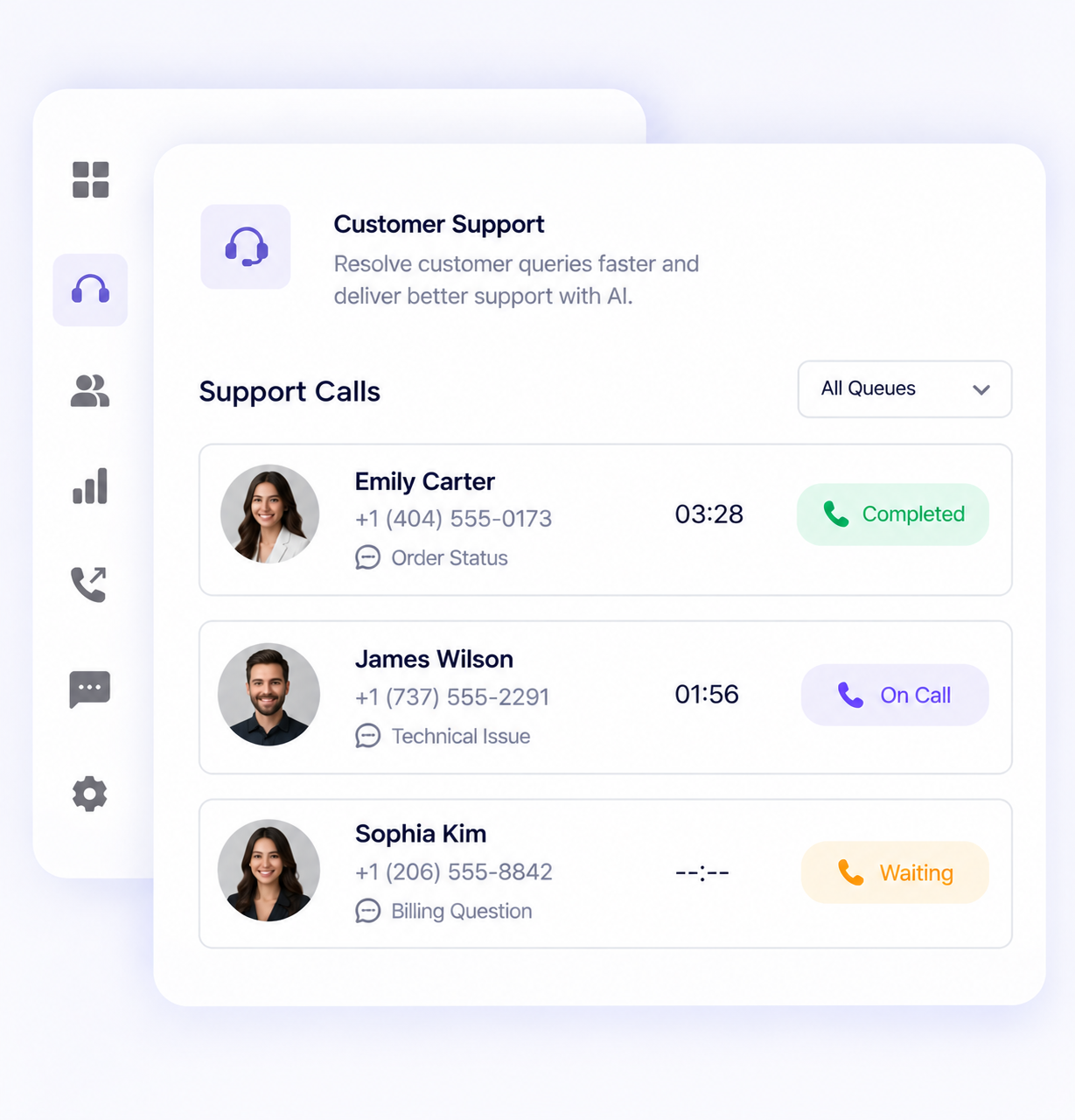
Manage inbound and outbound queues for agents working from home. Supervisors see live activity on one dashboard and can listen in, whisper guidance or join a call from anywhere.

✓ Call queues with callbacks

✓ Live call monitoring, whisper and barge

✓ Real-time agent and queue dashboard

customer support phone system

Keep Distributed Teams on the Same Line

Transfer callers between remote teammates with notes attached, call colleagues by extension and share one SMS inbox for team numbers. Nobody asks the customer to repeat themselves.

✓ Internal calling and warm call transfer

✓ Shared numbers and shared SMS inbox

✓ Call history visible to the whole team

customer support phone system

Cover Every Gap With AI Voice Agents

An AI receptionist answers when your remote team is offline or every line is busy. It handles routine questions, books appointments and qualifies leads, then escalates with a summary.

✓ AI receptionist for overflow and after-hours

✓ AI lead qualification and appointment booking

✓ Escalation rules with full call context

customer support phone system

Coach and Onboard Remote Agents Without Sitting Beside Them

Every call can be recorded, transcribed and summarised by AI. Managers review sentiment and key moments to coach remote agents and spot training needs across the team.

✓ Call recording and AI transcription

✓ AI call summaries and notes

✓ AI sentiment analysis per call

customer support phone system

Help Remote Reps Reach More People Each Day

Remote outbound teams work through call lists with a power dialer, send scheduled SMS follow-ups and log every outcome to the CRM automatically.

✓ Power dialer for outbound lists

✓ Scheduled SMS and SMS templates

✓ CRM integration with automatic call logging

customer support phone system

Measure Remote Team Performance in Real Time

See call volume, missed calls, wait times and outcomes for every remote team and location. AI call reports surface trends without exporting spreadsheets.

✓ Dashboard with live and historical metrics

✓ AI call reports and SMS reports

✓ Call logs and history for every user

customer support phone system
Who’s It For?

A Phone System for Every Type of Educational Institution

Scale communication across single schools, districts, colleges and multi-campus universities with intelligent routing, AI voice agents, SMS and call center tools.

Fully Remote Companies

One phone system for a team with no head office, with numbers in every market you serve.

Remote Customer Support

Queues, shared inboxes and AI deflection keep support responsive across shifts.

Remote Sales Reps

Click-to-call, power dialing and CRM logging for reps who sell from home.

Remote Call Center Agents

Home-based agents get a full call center seat in the browser with live supervision.

Global Teams Across Time Zones

Follow-the-sun routing hands calls to whichever region is working.

Field and Mobile Workers

Technicians and on-site staff answer business calls from their phones between jobs.

Contractors and Outsourced Agents

Give external agents access to queues without sharing personal numbers or devices.

Remote-First Startups

Launch a professional phone presence fast and add seats as you hire.

Seamless Business Integrations

Connect Calls to the Tools Your
Remote Team Already Uses

Log calls, recordings and AI summaries to your CRM automatically. Build custom workflows with the REST API and webhooks.

Flexible Plans for Every Business

Simple Per-User Pricing That Scales With Your Remote Team

Pay for the people on your team, not for hardware. Add call center seats and AI voice agents when you need them.

Billed Annually (Save 20%)
Basic Plan
$10
per user / month Billed anually

Subscription continues to be charged at $10 /month, unless cancelled in Callvix account.

Get Started
  • Up to 30 agents
  • 1 Free Local Number (US or Canada)
  • IVR & Smart Call Routing
  • Standard Support
  • Email Integration
  • Limited AI Agents
Pro Plan Smart Pick
$21
per user / month Billed anually

Subscription continues to be charged at $21 /month, unless cancelled in Callvix account.

Upgrade Now
  • Everything in Basic +
  • Unlimited Agents
  • Priority Support
  • Advanced Analytics
  • CRM Integrations
  • AI Call Summaries
  • AI Transcript
  • Unlimited AI Agents
  • AI campaign
Custom Plan
$Custom
per user / month Billed anually

Subscription continues on a custom plan. Contact us to modify or cancel your subscription.

Talk to Sales
  • Everything in Professional +
  • Unlimited agents
  • Dedicated Account Manager
  • Custom SLA & Onboarding
  • White-label Solutions
  • API Access
Basic Plan
$12
per user / month Billed monthly

Subscription continues to be charged at $12 /month, unless cancelled in Callvix account.

Get Started
  • Up to 30 agents
  • 1 Free Local Number (US or Canada)
  • IVR & Smart Call Routing
  • Standard Support
  • Email Integration
  • Limited AI Agents
Pro Plan Smart Pick
$25
per user / month Billed monthly

Subscription continues to be charged at $25 /month, unless cancelled in Callvix account.

Upgrade Now
  • Everything in Basic +
  • Unlimited Agents
  • Priority Support
  • Advanced Analytics
  • CRM Integrations
  • AI Call Summaries
  • AI Transcript
  • Unlimited AI Agents
  • AI campaign
Custom Plan
$Custom
per user / month Billed monthly

Subscription continues on a custom plan. Contact us to modify or cancel your subscription.

Talk to Sales
  • Everything in Professional +
  • Unlimited agents
  • Dedicated Account Manager
  • Custom SLA & Onboarding
  • White-label Solutions
  • API Access
FAQs

Got Questions? We’ve Got Answers.

1. What is a phone system for remote teams?

A phone system for remote teams is a cloud-based business phone system that lets employees make and receive calls on a company number from any location and device. Calls run over the internet (VoIP), so remote workers use a mobile app, desktop app or web browser instead of an office desk phone. Callvix adds call routing, call center tools and AI voice agents in the same platform.

2. How does a VoIP phone system for remote teams work?

A VoIP phone system converts voice into data and routes it over the internet. Each remote team member signs in to the Callvix app, and incoming calls ring them based on your rules, such as ring groups, queues, business hours or time zones. Outbound calls display your business caller ID.

3. Can remote workers use a business number on their personal mobile?

Yes. With the Callvix mobile app, remote workers call and text from a business number on their own phone. Their personal number stays private, and call history stays with the company account if they leave.

4. What is remote call center software?

Remote call center software lets agents handle inbound and outbound calls from home or any location while supervisors manage them centrally. Callvix includes call queues, skills-based routing, a power dialer, live call monitoring with whisper and barge, call recording and real-time reporting, all in the browser.

5. How do supervisors monitor remote call center agents?

Supervisors use the Callvix dashboard to see who is on a call, queue wait times and missed calls in real time. They can listen to live calls, whisper coaching only the agent hears, or barge in to join the conversation. Recordings, transcripts and AI sentiment analysis support coaching after the call.

6. How do AI voice agents help remote teams?

AI voice agents answer calls when your remote team is offline, busy or in another time zone. They handle routine questions, qualify leads, book appointments and send follow-up SMS, then transfer the caller to a person with a summary when a human is needed.

7. Can I route calls by time zone?

Yes. Set business hours and holiday schedules for each region or team. Callvix sends calls to the team that is working, falls back to another region, or hands off to an AI receptionist when nobody is available.

8. Do remote workers need desk phones or special hardware?

No. A laptop or smartphone with an internet connection and a headset is enough. Callvix also supports compatible desk phones for team members who prefer one.

9. Can I keep my existing business numbers?

Yes. You can port eligible local and toll-free numbers to Callvix, and add new local, toll-free, vanity or international numbers for the markets your remote team serves.

10. Does Callvix integrate with our CRM?

Yes. Callvix connects with popular CRMs to log calls, recordings and AI summaries automatically and enable click-to-call. A REST API and webhooks are available for custom workflows.

11. What internet speed do remote workers need?

A stable broadband or mobile data connection is enough for clear VoIP calls. Wired or strong Wi-Fi connections give the best call quality, and the Callvix mobile app can switch between Wi-Fi and mobile data.

12. How much does a phone system for remote teams cost?

Callvix plans start at $10 per user per month with no hardware or installation costs. Call center seats and AI voice agents can be added as your remote team grows.

Give Your Remote Team a Phone System That Keeps Up

Set up business numbers, remote call center queues and AI voice agents in one account. Try Callvix free or see it live with our team.

Number Available
+ 1 Countries
Portfolio Growth
85%
$ 1
Goal: $15,000

Create your account